What Are OpenAI Dots? How Always-On AI Agents Work
Most AI tools wait for you to tell them what to do next. OpenAI Dots are designed to keep working after that first instruction.
A Dot is an AI agent that can stay connected to a project, work with approved tools and apps, and continue moving toward a goal without requiring you to prompt every individual step. The bigger change is not simply what the AI can do. It is the shift from asking AI to complete isolated tasks to giving it responsibility for part of an ongoing workflow.
This guide explains what OpenAI Dots are, how they differ from normal ChatGPT use, what they can actually do, and where human control still fits.
Key Takeaways
- Dots shift AI from individual requests toward ongoing responsibility. You can give the agent a broader objective instead of manually initiating every next task.
- Persistence is the important difference. A Dot can keep project context, respond when information changes, and continue working without restarting the process each time.
- A Dot has its own working environment. Its cloud computer and browser let it perform work without automatically taking over your personal computer.
- Connected apps make the agent more useful. The Dot can work with approved tools and information instead of being limited to what appears inside one chat.
- Always-on does not mean unrestricted. Permissions, approval rules, background restrictions, and action reviews limit what the agent can do independently.
- Human judgment remains part of the workflow. The Dot can carry more of the work between decisions while leaving consequential choices and sensitive actions with the user.
Affiliate Disclosure: Some links on our site are affiliate links. This means that if you click one of these links and make a purchase, we may earn a small commission at no additional cost to you.
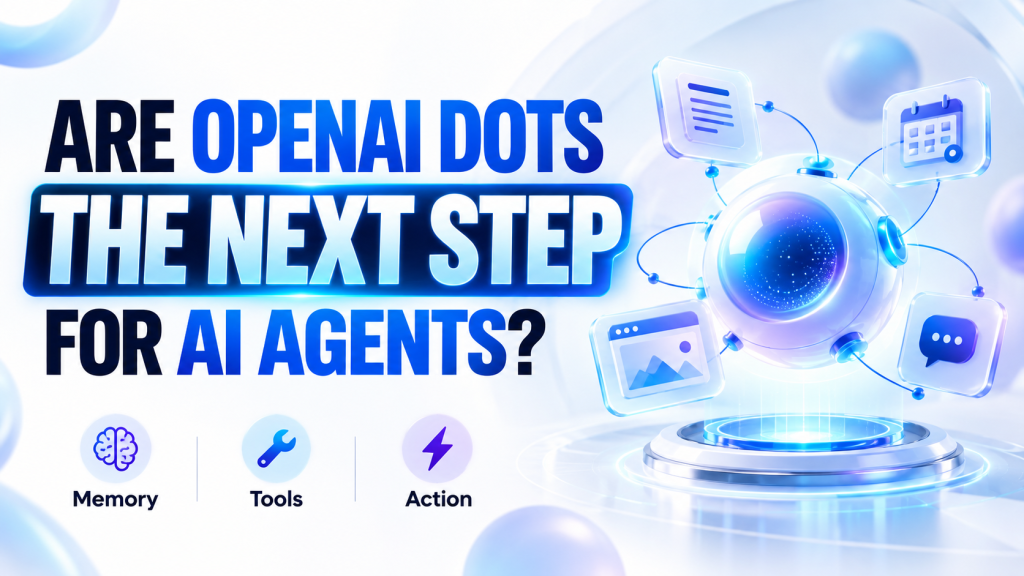
What Are OpenAI Dots?
OpenAI Dots are persistent AI agents designed to work toward goals over time rather than complete one request and then wait for another.
The easiest way to understand the idea is to stop thinking only in terms of prompts.
A normal AI interaction often looks like this:
You ask → AI responds → you decide what happens next
A Dot is designed around a different pattern:
You set the direction → the Dot works → something changes → the Dot responds → you step in when needed
The difference is continuity.
You can give a Dot a project, explain what matters, connect the tools it needs, and provide feedback as the work develops. The agent can then continue operating within that context instead of forcing you to rebuild the project through a series of disconnected requests.
That does not mean the Dot works without direction. The objective, access, permissions, and feedback still come from the user. What changes is how often the user has to convert the larger objective into another individual prompt.
In its official introduction to Dots, OpenAI says Dots are powered by GPT-6 Astra, have their own cloud computer, can learn from feedback, work toward goals around the clock, and connect to more than 4,000 apps through plugins.
How Are OpenAI Dots Different From Normal ChatGPT?
ChatGPT can already research, write, analyze information, create code, and work with tools. Dots do not make those abilities suddenly new.
What changes is how those abilities remain connected to the work.
| Normal ChatGPT Workflow | Dot Workflow |
|---|---|
| You initiate a request | You establish a broader objective |
| AI completes the immediate task | The Dot can continue working on the project |
| You decide what should happen next | The Dot can work through some next steps |
| You return when you need more help | The Dot can return to you with progress or questions |
| The interaction centers on the current request | The agent can maintain a larger project context |
Consider a product launch where the scope changes halfway through.
With a prompt-by-prompt workflow, someone has to recognize the change, decide which materials are affected, request each revision, review the output, and then initiate whatever comes next.
A persistent agent can stay attached to the larger launch objective.
When something changes, it can work through the implications, prepare revised materials, and bring those changes back for review.
That is a different kind of delegation.
The person still decides what the project is trying to accomplish. The Dot handles more of the coordination required to keep the project moving toward that objective.
What Can an OpenAI Dot Actually Do?
The examples OpenAI gives cover software development, product launches, scientific research, enterprise sales, and content production.
The individual tasks are useful, but the stronger way to understand them is to look at the pattern underneath.
Notice When Something Changes
Many projects depend on information that does not stay still.
Customer feedback arrives. Requirements change. New research data appears. A transcript becomes available. A test produces an unexpected result.
A persistent agent can stay connected to those inputs instead of waiting for the user to notice every change and begin another conversation.
Understand What the Change Affects
Finding new information is only part of the job.
The agent also needs enough project context to understand why the change matters.
If a product feature changes, which launch materials need revision? If new data changes an analysis, which figures and explanations are now outdated? If a customer changes a requirement, what part of the proposal or test plan needs attention?
This is where persistent context becomes more useful than an isolated prompt.
Continue the Work
Once the effect is understood, the Dot can move into the next part of the workflow.
That might mean revising documents, testing a software change, updating an analysis, changing a proposal, or turning a new interview transcript into supporting content.
AI tools can already perform many of those individual tasks.
The important difference is the connection between them.
The user does not necessarily have to recognize every transition and manually tell the AI what to do next.
Bring Decisions Back When They Need You
A Dot does not need to make every decision itself to be useful.
In many cases, its better role is to move routine work forward and bring the user the parts that require judgment, approval, or a change in direction.
That changes the user’s role from coordinating every small task to supervising a broader piece of work.
OpenAI shows this pattern in its examples of Dots handling real workflows, including responding to customer feedback, revising launch materials when scope changes, updating research as new evidence arrives, adapting sales proposals, and preparing content from new interview transcripts.

How Do Dots Work With Your Apps and Computer?
A persistent agent cannot take much responsibility for a project if it cannot reach the tools and information the project depends on.
That is why the Dot’s working environment matters.
Each Dot has its own cloud computer and browser. That environment is separate from your personal computer unless you choose to give the agent additional access.
This distinction matters.
Giving the Dot responsibility for a project does not automatically mean giving it access to everything on your laptop. It can perform work inside its own environment while you retain control over additional device access.
Connected apps extend what the Dot can work with.
If a project depends on documents, messages, account information, or another business system, approved connections can give the agent more of the context required to continue the job.
The Dot is also designed to follow the work across communication channels rather than remain inside one conversation. That can matter when a project begins in ChatGPT but later involves a team discussion or another work environment.
OpenAI says in its explanation of where Dots can work that users can interact with a Dot through ChatGPT on desktop, web, and mobile, as well as Slack and Microsoft Teams, while the agent can use its own browser and connect to a user’s laptop when explicit permission is given.
How Much Control Do You Have Over an OpenAI Dot?
The phrase “always-on agent” can make the system sound more autonomous than it actually is.
Access and authority are not the same thing.
You decide which apps the Dot can access. Rules determine when it can act independently, when it needs approval, and when an action should be blocked.
OpenAI also separates active work from what it calls proactive research.
When you are not actively working with the Dot, it can look through connected apps for information that may matter to your goals. That background activity has tighter restrictions.
The connected-app tools used for proactive research are read-only. The Dot cannot use that mode to independently send messages, modify app content, or control your browser or computer.
Actions with greater consequences receive additional review.
Depending on the action and the rules in place, the Dot may be able to continue, may need your approval, or may have to leave the action entirely to you.
This distinction matters because autonomy is useful only when it comes with boundaries.
OpenAI details these controls in its Dots permissions and safeguards documentation, including app permissions, Custom Rules, Activity View, read-only proactive research, action review, and sensitive tasks that remain with the user.
Personal Dots vs. Specialist Dots
The primary Dot is designed to work on behalf of an individual.
You can give it projects, connect apps, provide feedback, and gradually establish how you prefer work to be handled.
Specialist Dots take the same general idea into an organization.
Instead of acting as one general assistant for everything, a specialist Dot can be set up around a clearly defined responsibility. A company can give that agent its own identity, credentials, system access, tools, and review requirements.
That points toward a different model for workplace AI.
Rather than expecting one assistant to understand every part of a business, an organization could use separate agents for separate responsibilities. One might work inside a support process while another handles a defined procurement, invoicing, marketing, or contracting workflow.
The important idea is specialization.
The agent receives the access and authority needed for its job instead of receiving broad responsibility for everything.
OpenAI says in its preview of specialist Dots that it has tested this approach internally across areas including procurement, invoice processing, email marketing, customer support, and commercial contracting, and is beginning external use through focused enterprise pilots.
OpenAI is also starting the personal version with Pro and Business Premium users in eligible markets, while Enterprise users, including Edu and Healthcare customers, can access the beta when enabled by their workspace administrator. The company’s current Dots rollout information says the first Dot is included with Pro and Business Premium plans at no additional cost.
What Dots Change About Working With AI
The most important part of Dots may not be the cloud computer, the browser, or the number of apps they can connect to.
It is the change in how work gets delegated.
Prompt-based AI puts much of the coordination burden on the person using it. You decide what needs to happen, ask the AI to complete one part, inspect the response, and then initiate the next task.
A persistent agent can stay attached to the larger objective.
That does not remove the human from the process. It changes where human attention is most useful.
The person can spend less time moving routine work from one step to another and more time setting direction, defining boundaries, reviewing consequential work, and making decisions that require judgment.
That is the larger shift behind Dots.
AI is moving from something you repeatedly ask to complete individual tasks toward something you can give responsibility for an ongoing piece of work.
The prompt still matters.
But increasingly, the more important questions may be: What should the AI be responsible for? What access does it need? What must it ask permission to do? And where should human judgment remain in control?
Frequently Asked Questions
What Is an OpenAI Dot?
An OpenAI Dot is an AI agent designed to stay connected to goals and projects over time. It can use its own working environment and approved apps instead of waiting for a new prompt after every individual task.
How Is a Dot Different From Normal ChatGPT?
Normal ChatGPT use usually depends on the user to initiate the next request. A Dot can maintain a broader project context, continue working through parts of the workflow, and bring progress or decisions back to the user.
Can an OpenAI Dot Work When You Are Not Using ChatGPT?
Yes. A Dot can continue certain work outside an active conversation. What it can do depends on the permissions, rules, and safeguards attached to that work.
Can a Dot Control Your Personal Computer?
Not automatically. A Dot normally works through its own cloud computer. Connecting it to another device requires separate permission from the user.
Can OpenAI Dots Use Other Apps?
Yes. A Dot can use apps that the user chooses to connect and authorize. Those connections can give the agent access to information and tools needed for an ongoing project.
Does a Dot Make Decisions Without You?
Some actions can proceed independently when the applicable rules allow them. Other actions require approval, and certain sensitive actions remain with the user.
What Is a Specialist Dot?
A specialist Dot is an organization-focused agent designed around a defined responsibility. It can be given the particular credentials, systems, permissions, and review requirements needed for that role.
Leave a Reply